Pixio November 2025 Updates
Introducing Pixio V2 Beta with unified interface and centralized asset management. Major model updates: Gemini 3 Pro (NanoBanana Pro) for revolutionary image generation, CartesiaCraft for voice cloning, ActorCraft for AI avatars, plus MotionCraft Ultra 2.3, ToneCraft 2.6, Flux 2, and new free tier tools.

November 2025 Highlights: Pixio V2 Beta launches with unified interface Gemini 3 Pro (NanoBanana Pro) revolutionizes image generation CartesiaCraft brings voice cloning ActorCraft creates AI avatar videos MotionCraft Ultra 2.3 & ToneCraft 2.6 updates Flux 2 model Free tier expands with Music and Edit-Image tools
🚀 Pixio V2 Beta: The Future of AI Creation
Major Platform Update: Pixio V2 Beta reimagines the entire creative workflow with a unified interface, centralized asset management, and crystal-clear model naming
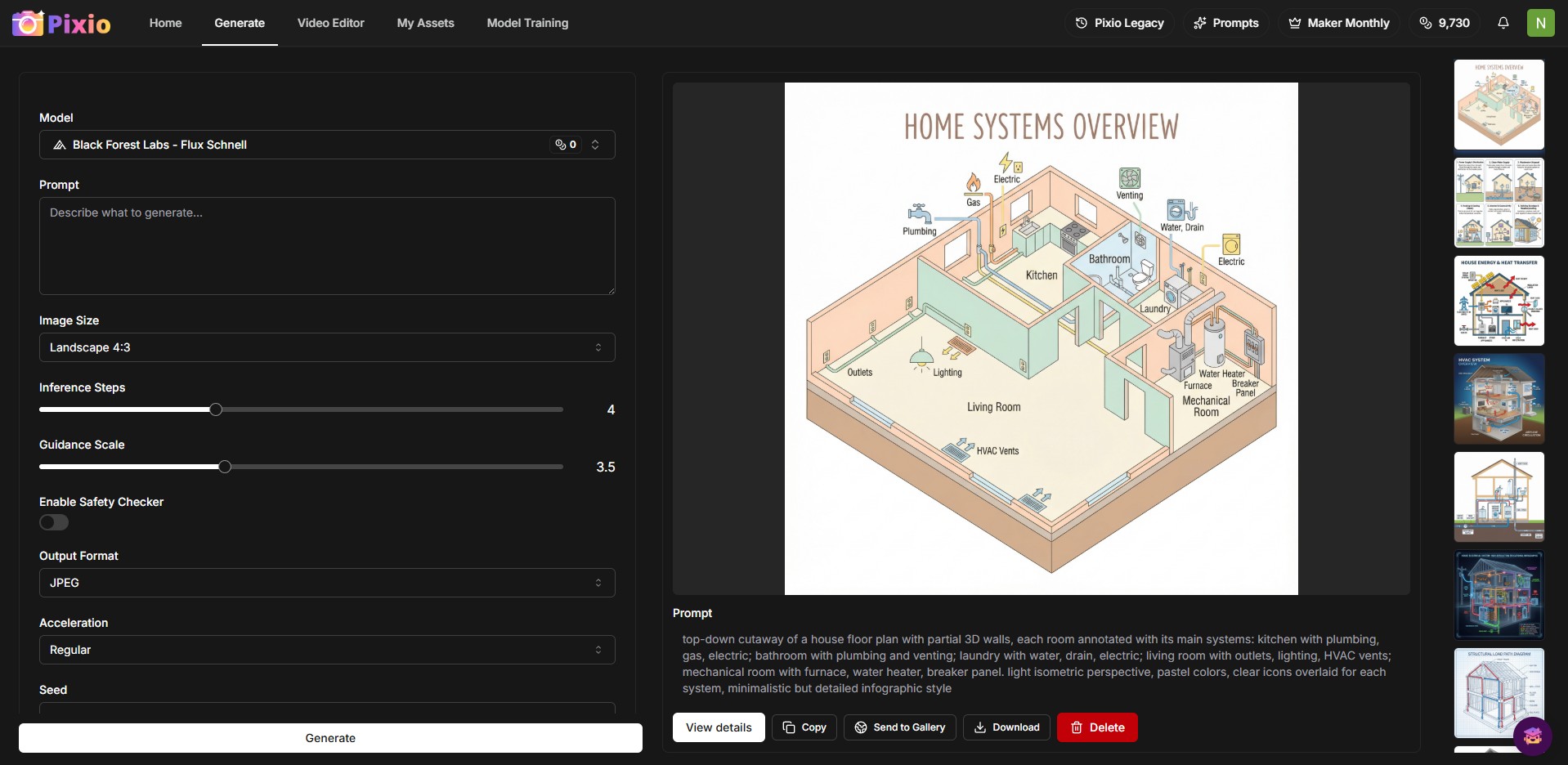
November marks a transformative milestone with the launch of Pixio V2 Beta. While still in beta (full rollout planned for 2026), this update fundamentally reimagines how you interact with AI creative tools.
What's New in Pixio V2
- Unified Generation Interface Access all AI models from a single, streamlined workspace
- Clear Model Names No more confusion about which tool you're using every model displays its actual name
- Centralized Asset Folder All generations stored in one place, independent of the tool used
- No More Local Storage Cloud-based asset management makes finding your creations effortless
- Enhanced Organization Filter, search, and manage all your AI-generated content from one dashboard
- Improved Performance Faster load times and smoother navigation across all tools
- Generate with any model without switching tools
- Instantly find any creation across all your projects
- Seamless workflow from ideation to final export
- Consistent experience across desktop and mobile
🎨 Gemini 3 Pro Image: NanoBanana Pro Arrives
Breakthrough Model: Google's Gemini 3 Pro Image (NanoBanana Pro) delivers unprecedented image quality, 4K resolution, and advanced reasoning capabilities
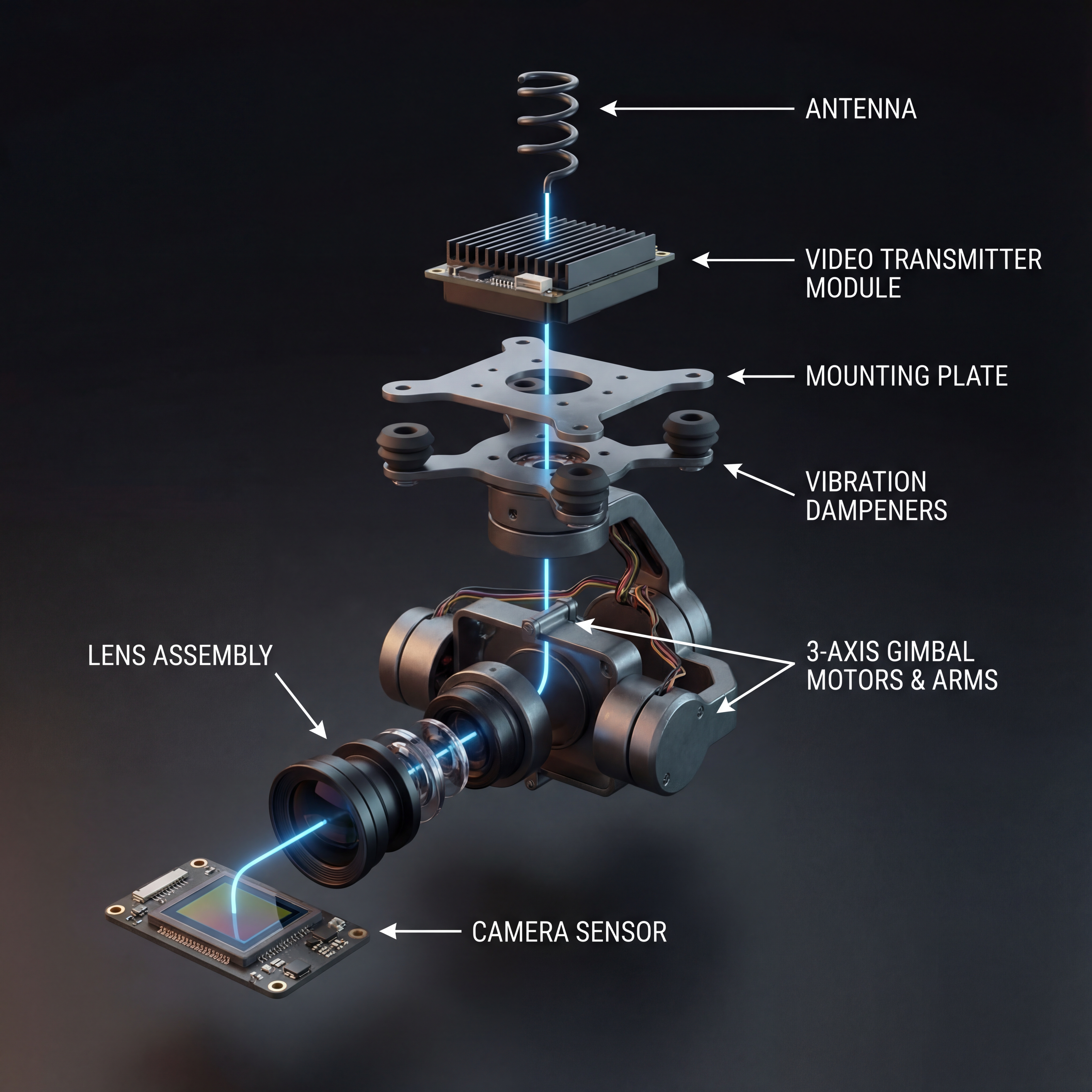
November's most significant addition is Gemini 3 Pro Image (affectionately known as NanoBanana Pro), accessible through our Pixio Chat tool. This state-of-the-art model represents a quantum leap in AI image generation, combining Google's advanced reasoning with professional-grade output quality.
Why NanoBanana Pro is a Game-Changer
- Fast generation (5 credits)
- 1024px resolution
- Up to 5 reference images
- 10 aspect ratios
- Ideal for rapid iteration
- Professional quality (20-30 credits)
- Up to 4K resolution (4096x4096)
- Up to 14 reference images
- Google Search grounding
- Advanced reasoning mode
Advanced Capabilities
- Multi-Image Composition Combine up to 14 reference images (6 objects + 5 humans) for complex scenes
- Google Search Grounding Generate images based on real-time data like weather, sports scores, or current events
- 4K Resolution Options Choose from 1K, 2K, or 4K output for professional asset production
- Thinking Mode Model reasons through complex prompts, generating interim compositions before final render
- Superior Text Rendering Create legible, stylized text for infographics, logos, and marketing materials
- Conversational Editing Iteratively refine images through natural language chat
- 10 Aspect Ratios From 1:1 squares to 21:9 ultrawide (6336x2688 at 4K)
Prompting Best Practices for NanoBanana Pro
1. Describe scenes, don't list keywords
"cat, wizard hat, restaurant"
"A fluffy ginger cat wearing a small knitted wizard hat, sitting at a fancy restaurant table under soft candlelight"
2. Use photography terminology for photorealism
Mention camera angles, lens types (85mm portrait lens), lighting (golden hour, softbox), and specific details (bokeh, shallow depth of field)
3. Be hyper-specific about style
Instead of "fantasy armor," describe: "ornate elven plate armor, etched with silver leaf patterns, high collar, pauldrons shaped like falcon wings"
4. Iterate conversationally
Follow up with refinements: "Make the lighting warmer" or "Change the character's expression to be more serious"
Credit Pricing
- 5 credits per image (any resolution up to 1024px)
- All 10 aspect ratios included
- 1K resolution: 20 credits per image
- 2K resolution: 25 credits per image
- 4K resolution: 30 credits per image
- Google Search grounding included
🎤 CartesiaCraft: Professional Voice Cloning
Introducing CartesiaCraft, powered by Cartesia's Sonic 3 model - a professional-grade text-to-speech and voice cloning platform.
Convert text to natural-sounding speech with extensive voice library and fine-tuned controls
Clone any voice from a 5-second audio sample with optional enhancement
Why Creators Love CartesiaCraft
- Studio-quality delivery Control tone, pacing, and emphasis for narration, ads, or product explainers
- One-click safety Built-in consent and watermarking options for responsible voice use
- Seamless handoff Send cloned voices directly into scripts for ActorCraft or MotionCraft
- Multi-language Support for global launches without manual re-recordings
🎭 ActorCraft: AI Avatars for Video
ActorCraft now turns scripts and voices into full presenter videos. Pair CartesiaCraft voices with photoreal or stylized avatars, add branded lower-thirds, and export in common aspect ratios for social or product demos.
🎬 MotionCraft Ultra 2.3 & ToneCraft 2.6
The latest MotionCraft and ToneCraft releases focus on smoother production, faster renders, and tighter sync between picture and sound.
- Higher temporal consistency with cleaner motion
- Better face and hand fidelity for character-driven clips
- New motion presets for product spins, walk cycles, and smooth pans
- Improved vocal clarity with richer harmonics
- Genre-aware mastering for faster music-to-video pairing
- Loop-safe exports for shorts, reels, and ads
🌀 Flux 2: Next-Gen Diffusion
Flux 2 arrives for creators who want sharper structure and bolder style control. Expect cleaner edges, better small-text rendering, and improved prompt adherence across both photoreal and illustration workflows.
🆓 Free Tier: Music & Edit-Image Tools
We're expanding free access so everyone can create with Pixio:
- Music Creation Compose short tracks for intros, loops, and quick ideas without spending credits
- Edit-Image Retouch, upscale, and color-correct existing assets directly inside the unified interface
- Guided onboarding Starter prompts and templates help new users publish in minutes
🎤 CartesiaCraft: Professional Voice Cloning
Introducing CartesiaCraft, powered by Cartesia's Sonic 3 model - a professional-grade text-to-speech and voice cloning platform.
Convert text to natural-sounding speech with extensive voice library and fine-tuned controls
Clone any voice from a 5-second audio sample with optional enhancement
Why Creators Love CartesiaCraft
- Studio-quality delivery Control tone, pacing, and emphasis for narration, ads, or product explainers
- One-click safety Built-in consent and watermarking options for responsible voice use
- Seamless handoff Send cloned voices directly into scripts for ActorCraft or MotionCraft
- Multi-language Support for global launches without manual re-recordings
CartesiaCraft Features
- Extensive Voice Library Access hundreds of preset voices across multiple languages and styles
- Voice Cloning Create custom voices from 5+ second audio samples (10 credits)
- 42 Languages Supported From English and Spanish to Arabic, Japanese, and beyond
- Emotion Control 40+ emotions including happy, sad, excited, mysterious, and sarcastic
- Advanced Voice Settings Adjust speed (0.5-2x), volume (0-10), and pitch (-12 to +12)
- Audio Enhancement Reduce background noise when cloning voices
- Multiple Output Formats WAV, MP3 with configurable sample rates and bitrates
- Generation History Regenerate and download previous creations anytime
Pricing
- Text-to-Speech: 1 credit per 100 characters (minimum 6-10 credits depending on model)
- Voice Cloning: 10 credits per voice clone
- Sonic 3 Model: High-quality, natural-sounding output
🎭 ActorCraft: AI Avatar Video Generation
ActorCraft brings professional AI avatar videos to Pixio, perfect for marketing, tutorials, and documentation.
ActorCraft Features
- Hundreds of AI Avatars Professional presenters in various styles and demographics
- Dual Search Modes Browse by avatar name or search by actor for consistent characters
- Smart Voice Matching Automatically pairs voices with avatars for natural results
- Custom Voice Library Extensive collection of voices in multiple languages and accents
- Subtitle Customization Multiple styles, positions (top/middle/bottom), and sizes
- Dual Orientations 16:9 landscape and 9:16 portrait formats
- Automatic Gallery All generations saved with instant preview and download
Pricing
Credit Cost: 360 credits per minute of video
- ~6 credits per second of generated video
- Estimated automatically based on text length (~5 characters per second)
- Example: 30-second video 180 credits
🆕 Model Updates
MotionCraft Ultra 2.3
MotionCraft Ultra receives the Minimax 2.3 model update, bringing enhanced video quality and new generation options.
- Three Model Versions Text-to-Video (T2V-2.3), Image-to-Video (I2V-2.3), and Fast I2V-2.3
- Flexible Resolutions 768p and 1080p output options
- Duration Options 6-second and 10-second video generation
- Prompt Optimization Optional AI-enhanced prompt refinement
- Image-to-Video Animate static images with natural motion
ToneCraft 2.6
ToneCraft updates to Minimax Speech 2.6, offering improved voice quality and synthesis.
- Six Model Options Speech 2.0, 2.5, and 2.6 in both HD and Turbo variants
- Advanced Voice Controls Speed, volume, pitch, and emotion adjustments
- 17 Preset Voices From Wise Woman to Exuberant Girl
- Voice Cloning Support Create and use custom cloned voices
- Pronunciation Dictionary Fine-tune how specific words are spoken
- Multiple Output Formats MP3, PCM, FLAC with configurable sample rates
Flux 2 (Pixio V2 Exclusive)
The highly anticipated Flux 2 model is now available exclusively in Pixio V2 Beta.
- Next-Generation Quality Improved coherence and detail over Flux 1.1
- Enhanced Prompt Understanding Better interpretation of complex descriptions
- Faster Generation Optimized for speed without sacrificing quality
- V2 Beta Exclusive Early access for beta testers
🆓 Free Tier Expansion
Great News for Free Users: Two powerful new tools join the free tier Music generation and Edit-Image
Music (Free Tier)
Generate original music tracks with AI now available for free tier users via Pixio API.
- Tag-Based Generation Describe style, mood, instruments, and genre
- Custom Lyrics Write verses, chorus, and bridges for complete songs
- Variable Duration AI-generated music adapts to your lyrics
- Professional Quality Studio-grade audio output
- Automatic History All generations saved locally for easy access
- Batch Download Export all your music as a ZIP archive
- Gallery Integration Share your best tracks with the community
Edit-Image (Free Tier)
Professional image editing powered by ComfyUI workflows now free for all users via Pixio API.
- Multi-Image Input Upload multiple reference images for complex edits
- Positive & Negative Prompts Precisely control what to add or remove
- Custom Dimensions Output from 256x256 to 2048x2048 pixels
- Smart Composition AI intelligently blends multiple images
- Automatic History Track all your edits with metadata
- Instant Preview See your latest edit in a dedicated panel
These additions make Pixio's free tier one of the most comprehensive AI creative platforms available. Users can now generate music and edit images without any subscription, making professional AI tools accessible to everyone.
🎯 What's Next
As we approach 2026, Pixio V2 will transition from beta to full release with even more features:
- Complete UI/UX overhaul across all tools
- Advanced workflow automation
- Enhanced collaboration features
- Additional model integrations
- Improved asset organization and search
📚 Additional Resources
- NanoBanana Pro Documentation Complete guide to Gemini 3 Pro Image
- Prompting Guide Master the art of AI image generation
- Pixio V2 Beta Access Join the beta and shape the future